Hear the file
as written.
Bypass leaves optional DSP out of the path. For FLAC, Wynzo can compare the decoder-to-output result with the file’s embedded MD5 and verify gapless album joins.
MD5FULL PATH WYNZO.
LOCAL MUSIC / ACCOUNTABLE AUDIO
MICROSOFT STORE
WYNZO.
LOCAL MUSIC / ACCOUNTABLE AUDIO
MICROSOFT STORE
WYNZO / WINDOWS MUSIC PLAYER
Wynzo is a native Windows music player for the library you own. Inspect the signal path, preserve the file or shape it for your room, and make the interface yours with Winamp skins.
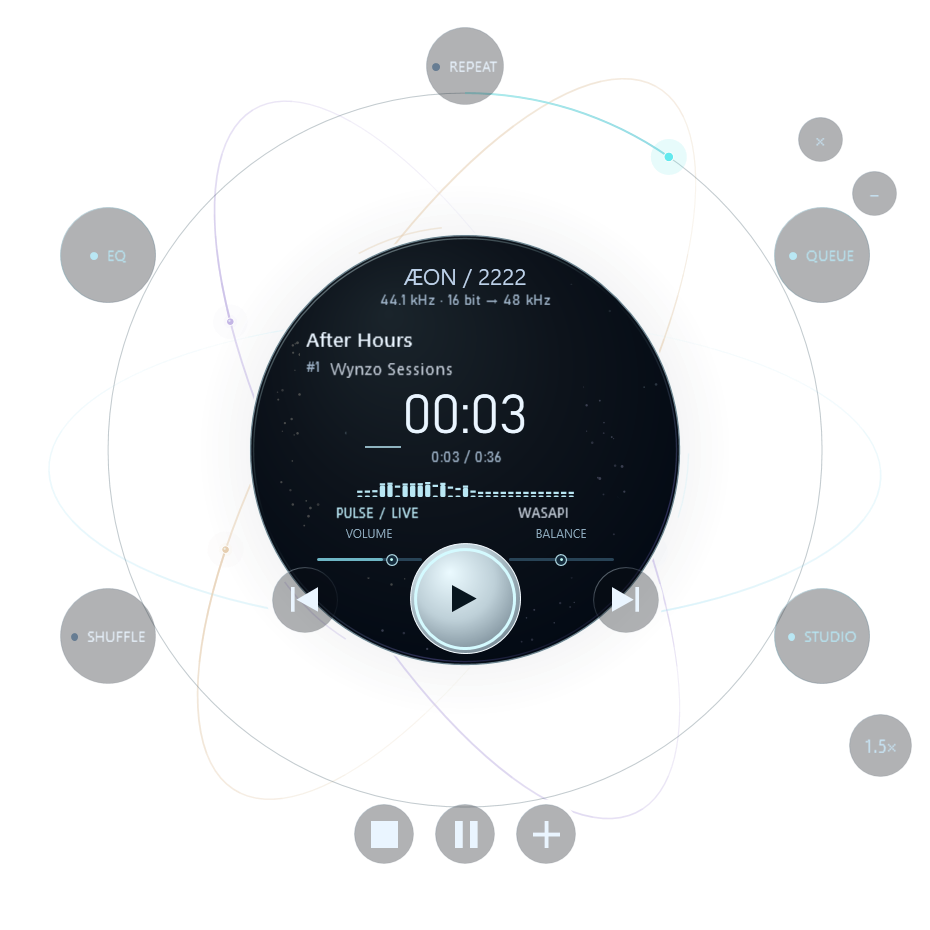

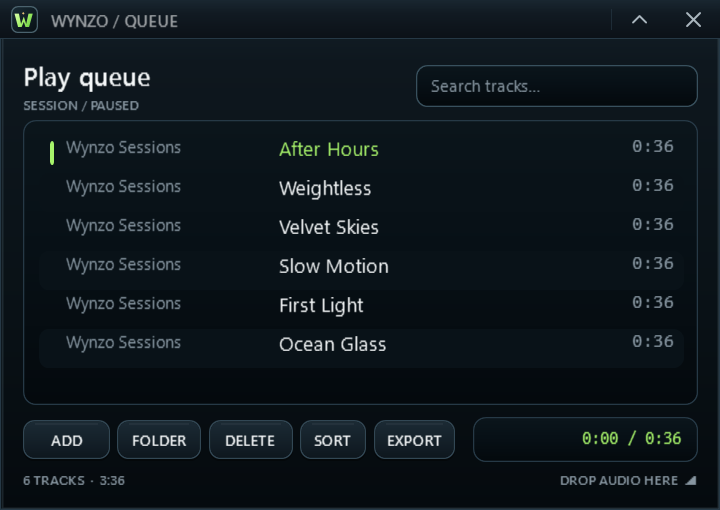
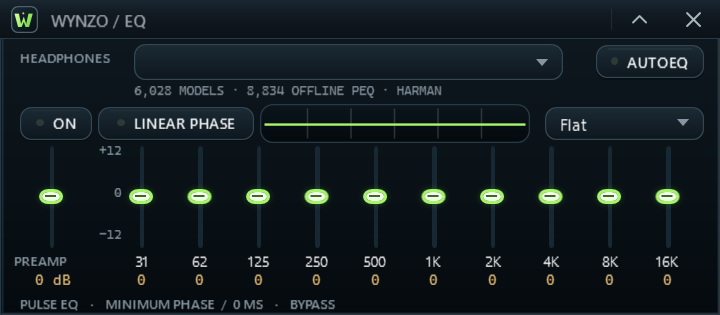
01 / ORIGIN
ANALOG MEMORY / DIGITAL PRECISIONWinamp made a small window feel like your whole music world: a queue you could shape, an EQ you could touch, skins that made it unmistakably yours.
That sense of ownership matters as much today as it did then. Wynzo brings it forward in a native player: modular windows, your own library, and an audio engine designed to show its work.
Wynzo is independent and is not affiliated with Winamp. Explore Winamp’s history ↗
02 / NATIVE SKINS
A PLAYER WITH MORE THAN ONE FACEBring your old skins. Or choose one made for Wynzo. Each changes the player, EQ, queue, library and Studio.
FIVE ORIGINAL SKINS / CHOOSE IN STUDIO → INTERFACESWIPE TO EXPLORE ALL FIVE SKINS
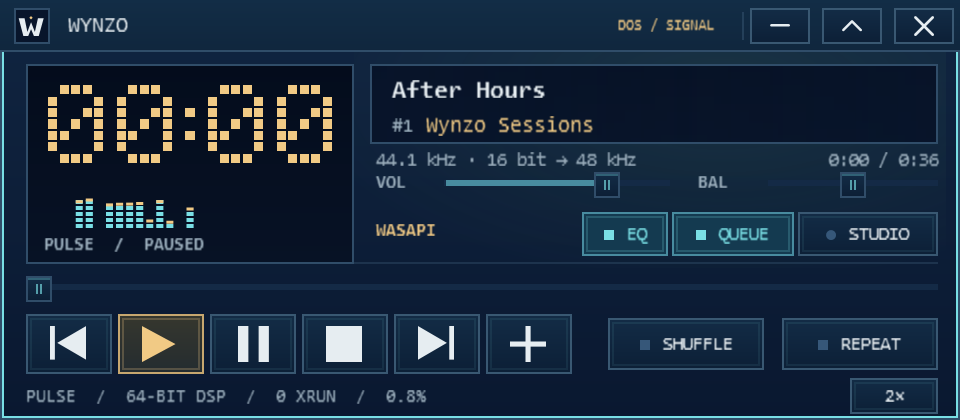
An original amber pixel clock and a live cell spectrum recast the player in terminal blue. The same language extends through Queue, EQ, Library and Studio.
03 / THE SIGNAL
Your music stays local. Choose a stage to see how Wynzo decodes, processes and sends it to your device.
Your local files enter a native decoder. For FLAC, Wynzo checks the decoded samples against the file’s embedded MD5 when present.
04 / THE INSTRUMENT
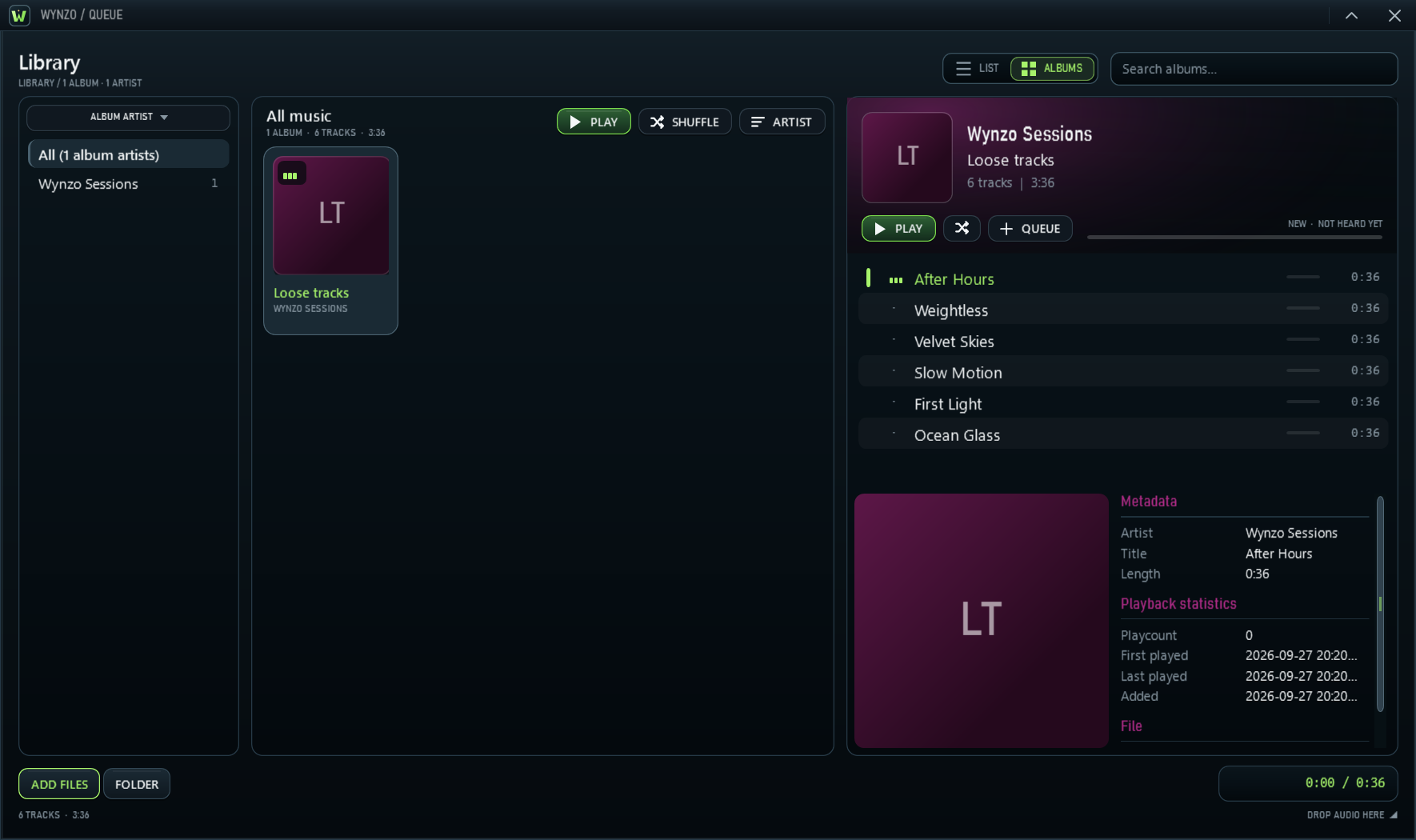
Three separate windows. Select one to inspect the real application in detail.
Move each window where it belongs in your setup.
Switch between tracks and an album browser. Browse by artist, genre, decade or your own tags; see when you last played an album, build smart lists, and shuffle whole albums while keeping their tracks in order.
INTERLUDE / LIVING ROOM
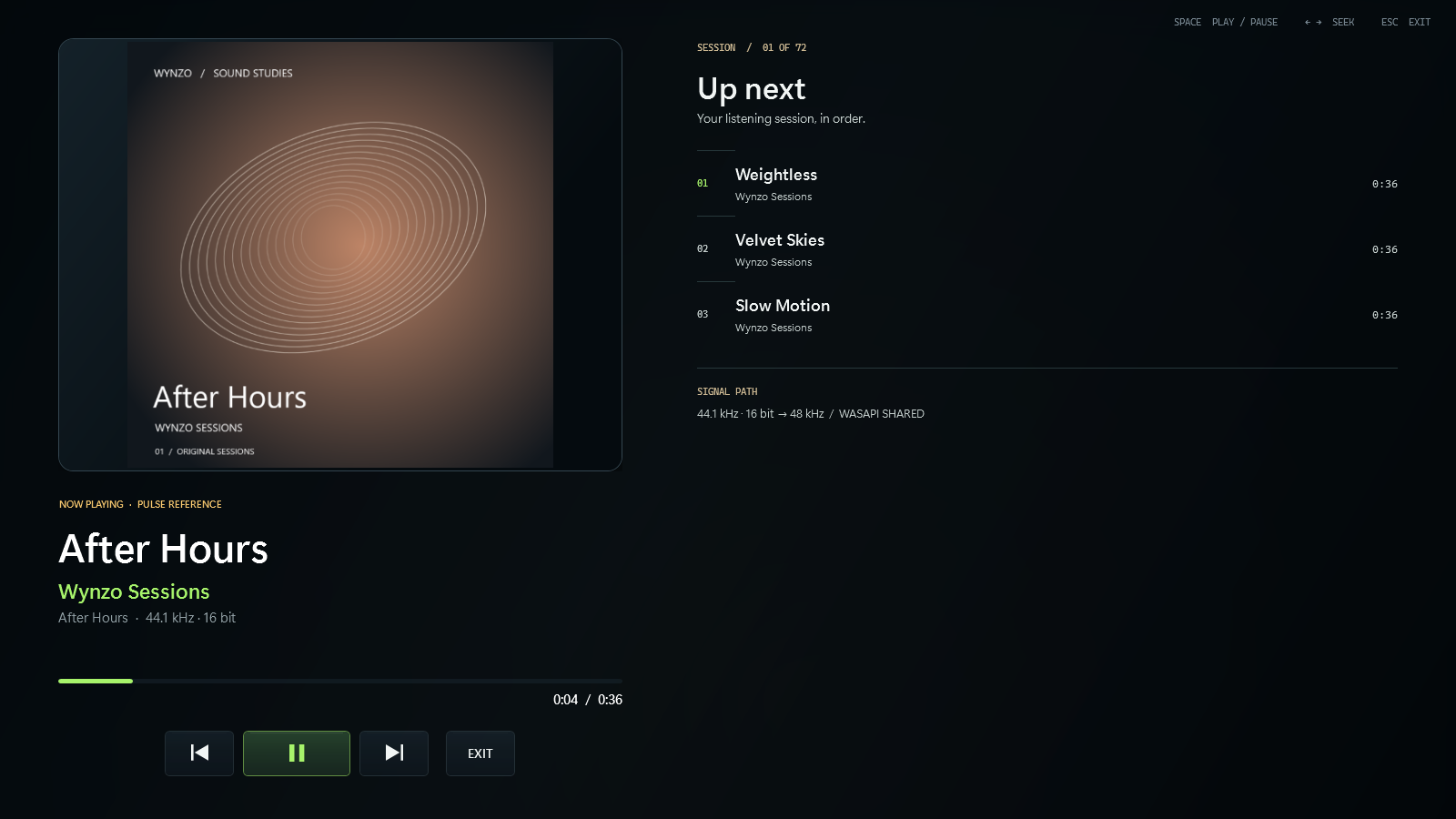
When you want the whole room to listen, Wynzo opens into a calm, full-screen view of the record, the queue and the path your music takes. Press F11 to enter. Return to your windows whenever you like.
05 / THE ENGINE
Keep the file untouched when that is the aim. Correct a response when the room calls for it. Send each channel to the speakers built to play it. The selected path stays visible in Studio.
Bypass leaves optional DSP out of the path. For FLAC, Wynzo can compare the decoder-to-output result with the file’s embedded MD5 and verify gapless album joins.
MD5FULL PATHUse up to 24 parametric bands, per-channel or Mid/Side control. Import room filters from Room EQ Wizard, or select the optional linear-phase path.
24PEQ BANDSSupported 5.1 and 7.1 files stay discrete when the device accepts their layout. In shared mode, Wynzo follows the Windows speaker configuration.
7.1UP TOWAVE, including RF64, BW64 and Wave64. MIDI through Wynzo’s SoundFont synthesizer. AAC and AAC+ internet radio with track metadata. Each source has its own limits; a lossy stream remains lossy.
06 / UNDER THE METAL
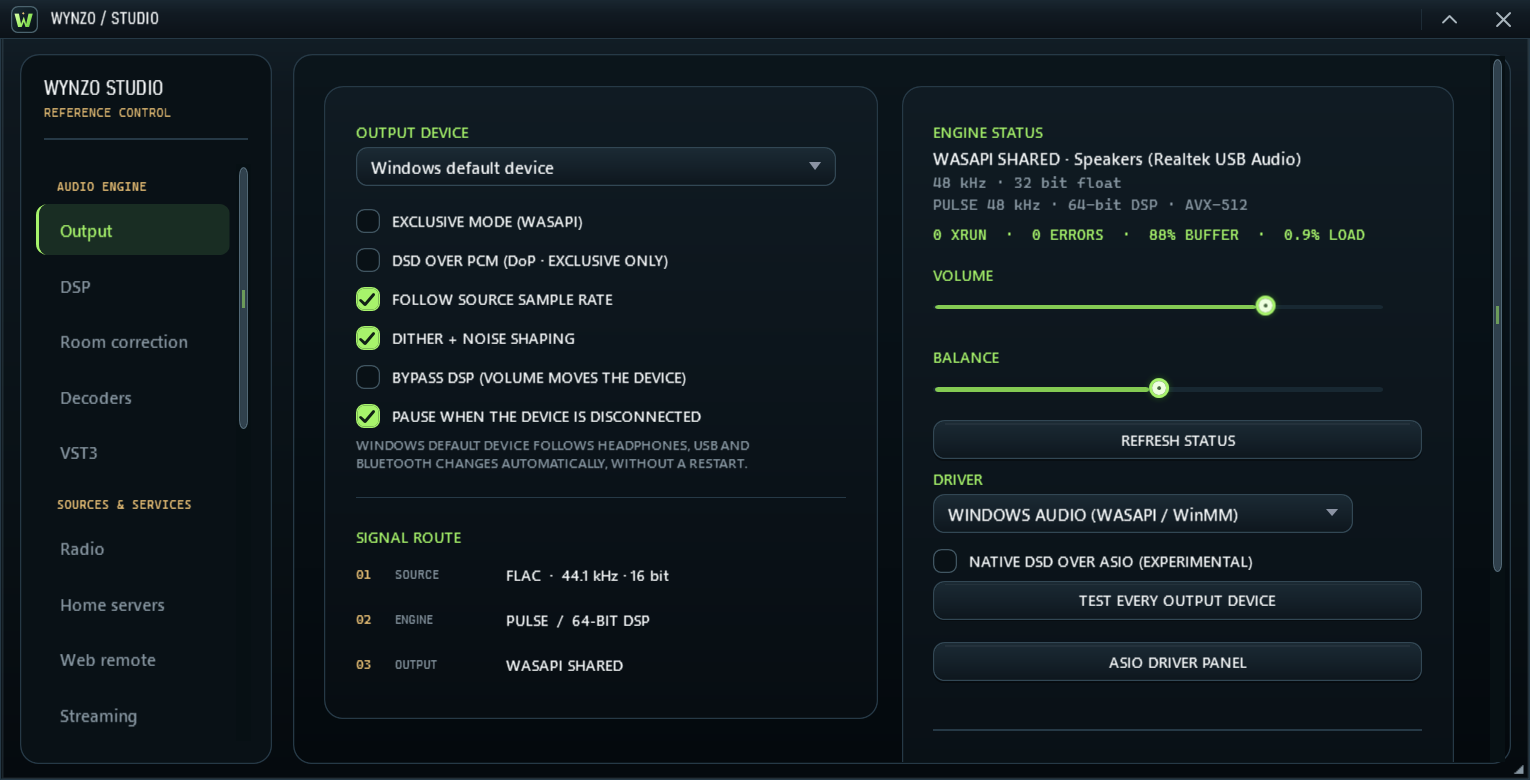
See the decoder, processing state, negotiated format and output route in one place.
In bypass, Wynzo can trace FLAC from decoder through the output path and compare the delivered samples with the file’s embedded MD5.
Optional upsampling at exact multiples, up to ×16 and 768 kHz when the output device supports it. The filter performance is measured, not guessed.
Choose shared or exclusive output, inspect the negotiated format, and see the engine’s health in Wynzo Studio.
The album path check verified 59 gapless joins across five albums in the test library.
Technical figures describe measured product behavior; maximum output rate depends on the connected device and selected mode. BACK TO TOP ↑
WYNZO / QUESTIONS
The details that matter when choosing a music player for your library and your listening system.
Wynzo is a native Windows music player for a local music library. Its PULSE audio engine supports shared or exclusive WASAPI output, optional processing and a signal path you can inspect in Studio. Separate player, equalizer and queue windows can wear original Wynzo interfaces or compatible Winamp skins.
Local music playback works offline. Features that access online metadata, radio streams, network services or Microsoft Store need the relevant connection. Wynzo plays the files you own; it is not a music subscription service.
Yes. Wynzo supports classic Winamp 2 .wsz skins and modern Winamp 3/5 .wal skins. Install them in Studio → Interface or drop a skin file onto the player. Some modern skins depend on resources from an installed copy of Winamp, and compatibility varies by skin. Wynzo is independent and is not affiliated with Winamp.
Bit-perfect describes a configured signal path, not every playback mode. Use bypass with a compatible exclusive output, a matching format and no processing that changes the samples. Shared Windows audio, resampling, EQ, normalization and other processing can change them. Studio shows the selected route; FLAC MD5 checks apply when the file contains an embedded checksum.
Wynzo offers up to 24 parametric EQ bands, per-channel or Mid/Side control, filter import and optional linear-phase processing. Room correction and EQ deliberately change the signal. Use Studio to inspect the active processing and choose the path that suits your system.
Use the official Microsoft Store listing linked on this site. It is the place to check regional availability, current pricing and system requirements before installation.
07 / KEEP LISTENING
Get Wynzo for Windows through Microsoft Store. Check the listing for regional availability, pricing and system requirements.
VIEW IN MICROSOFT STORE